DeepShare
Export beautifully formatted Word documents from AI Chats with one click, Copy Formulas
DeepSeek
conversation long screenshots
Refresh AI Chat page after install to activate


Who is DeepShare for?
DeepShare is an AI chat export tool. It turns AI answers from DeepSeek, ChatGPT, Gemini, and similar platforms into structured Word documents for students, teachers, researchers, creators, and professionals who need reusable AI output.
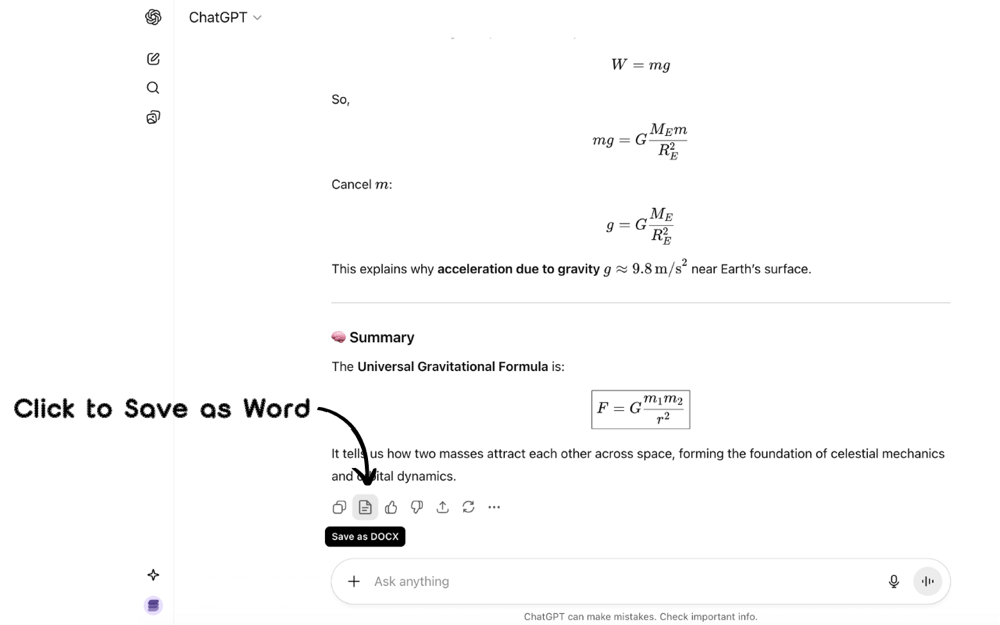
AI Chats to Word
Exports headings, lists, code blocks, tables, and math formulas so users spend less time cleaning copied AI responses.
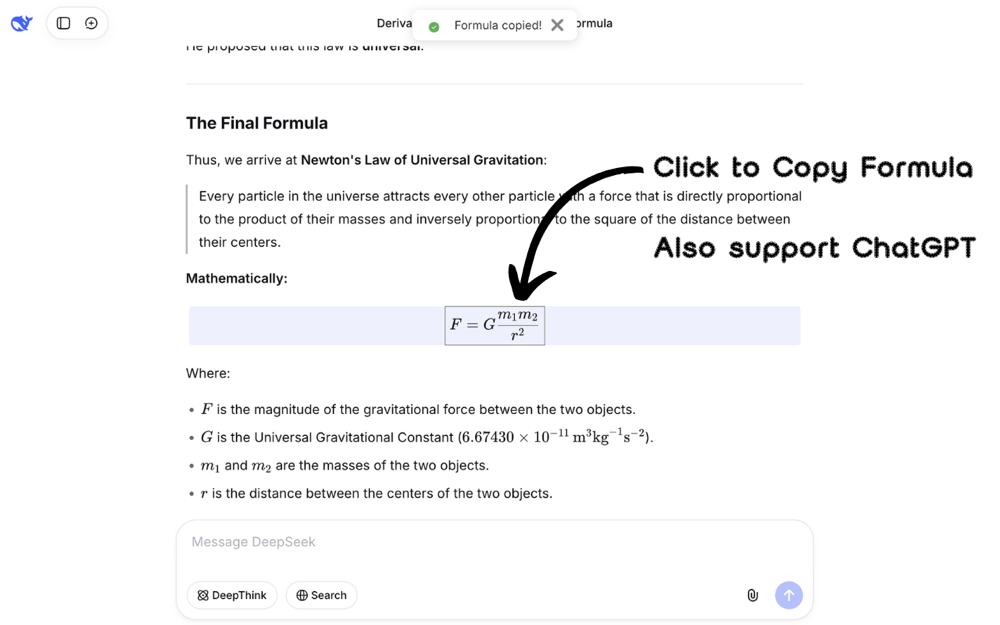
Formula Copy
Copies LaTeX or MathML formulas from AI answers for Word, WPS, research papers, slides, and Markdown documents.
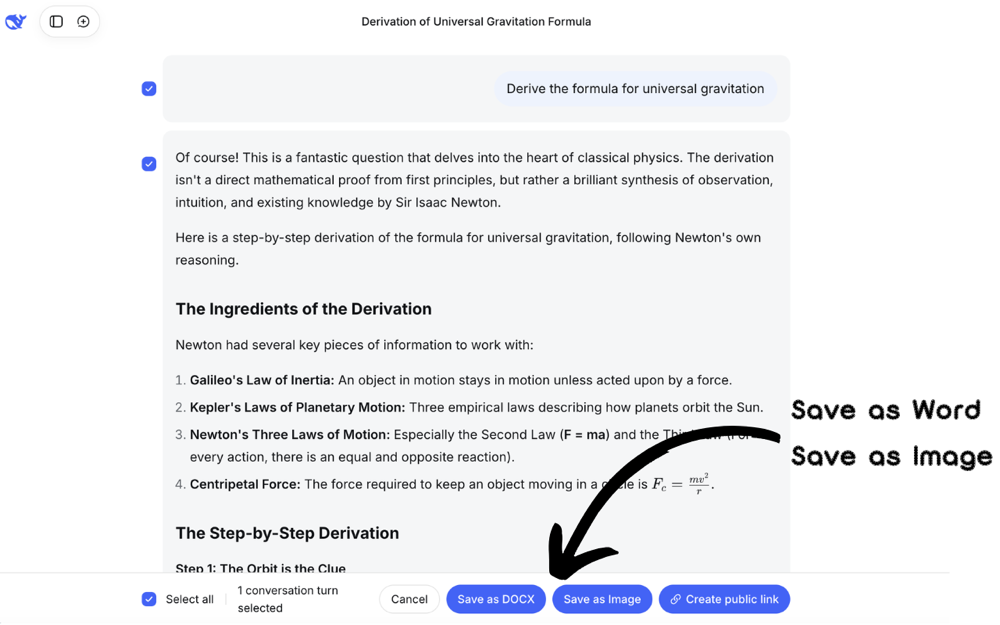
DeepSeek Screenshots
Captures full DeepSeek conversations as images for sharing, archiving, and reporting.
Main Features
Export to Word Document
Convert AI Chats to beautifully formatted Word documents with formulas and tables perfectly preserved
LaTeX Formula Copy
Click any mathematical formula in AI Chats to copy its LaTeX or MathML code, easily paste to Word
AI Chats Screenshot
Easily capture complete conversation content, DeepSeek exclusive feature
Installation Guide
Install from Chrome / Edge / Firefox Web Store
Chat with AI
Start using DeepShare
Feature Compatibility
| AI Platform | Formula Copy | Convert to Word | Screenshot |
|---|---|---|---|
| ChatGPT | ✓ | ✓ | ✗ |
| DeepSeek | ✓ | ✓ | ✓ |
| Gemini | ✓ | ✓ | ✗ |
| Doubao | ✓ | Manual Paste | ✗ |
| Kimi | ✓ | Manual Paste | ✗ |
| Grok | ✓ | Manual Paste | ✗ |
| Qwen | ✓ | Manual Paste | ✗ |
| ChatGLM | ✓ | Manual Paste | ✗ |
| OpenRouter | ✓ | Manual Paste | ✗ |
| Poe | ✓ | Manual Paste | ✗ |
| Monica | ✓ | Manual Paste | ✗ |
Note: Manual Paste means you can copy AI responses in Markdown format and
paste them into the extension to convert to Word documents.
Kimi officially supports formula copying
- right-click on formulas to copy.
Usage Demo
FAQ
What is DeepShare?
DeepShare is a browser extension for exporting AI conversations from DeepSeek, ChatGPT, Gemini, and similar platforms to Word documents while preserving headings, lists, tables, and math formulas. It also copies formula source code and captures long DeepSeek conversation screenshots.
Which AI platforms does DeepShare support for Word export?
DeepShare supports one-click AI chat to Word export for DeepSeek, ChatGPT, and Gemini, plus manual paste conversion for Grok, Kimi, Qwen, ChatGLM, OpenRouter, Poe, Monica, and other AI tools.
Can DeepShare copy math formulas from AI answers?
Yes. DeepShare can copy formulas from AI answers as LaTeX or MathML, making them easier to reuse in Word, WPS, research papers, lecture notes, and Markdown documents.
Is DeepShare free?
The DeepShare extension is open source and can be installed from supported browser stores. Features that use service resources, such as AI chat to Word conversion, are available through credits or subscriptions described on the pricing page.